
[Windows Compatible OS] What kind of OS is ReactOS? It may revive that favorite OS.
Note
This article is a machine translation and other translations of an introductory article on ReactOS written for Japanese readers.
Although we have checked the translation, the content may not be accurate.
Also, the content introduces many things that are useful for use in Japan.
Please send any corrections or comments on the translation tothe DM of our Twitter account(My twitter account has been deleted. Please beware of fakes, etc.).
Hi, my name is Irihi.
I've been working hard on a lot of things in my daily life lately, while adding a lot of features to my blog.
In this issue, we discuss ReactOS, which aims to be compatible with Windows.
I would like to make a video and touch on it in the future, but I am very attracted to this OS and have been watching it for a long time.
I am not a developer of this OS, and I just researched it, used it, and saw the community, so I can't write about it accurately and in detail, but I am writing this article in the hope that you will find it appealing and interested.
Windows is tiring
I'm starting to write like 腐っても豆腐, who introduced ReactOS in the same way, but Windows is exhausting in many ways.
That's one of the reasons I use Linux as my main operating system, but I'll leave that aside for now,
Note: This section is a series of complaints about Windows, not an introduction to ReactOS at all, so please skip this section if you are busy.
Windows requires license management
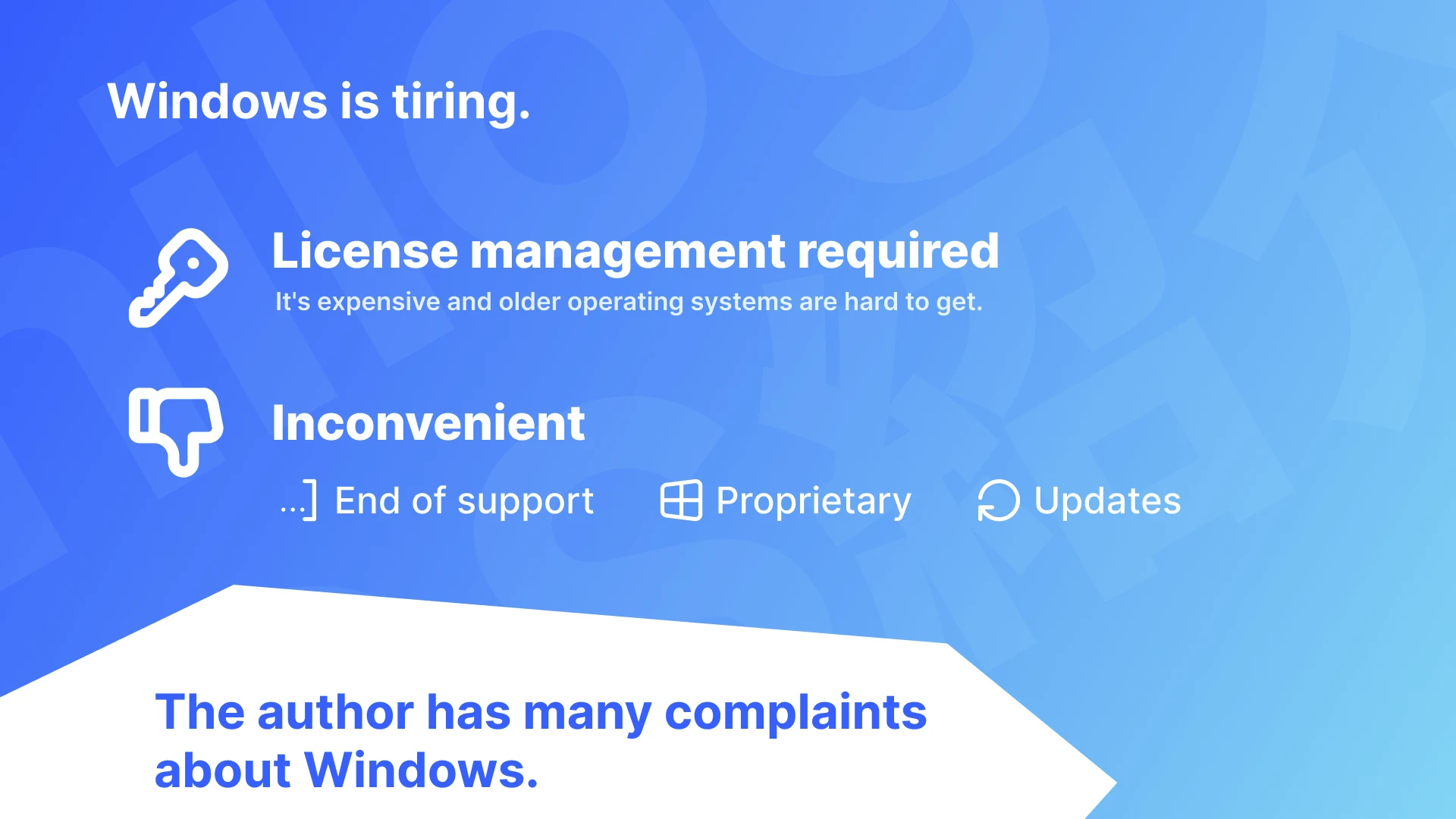
First, Windows requires a license.
It is sometimes said that ''Ordinary people buy computers running OEM Windows, so it doesn't matter,'' but OEM Windows is inconvenient.
You cannot transfer the license to another PC even though it is the same Windows.
To begin with, licenses are expensive, and managing them is inconvenient.
Moreover, it is not easy for general users to obtain a license for an OS that is not the latest.
However, some parts can't be helped. Windows is proprietary and the license is a necessary price for Microsoft to increase its profits, so even though it is inconvenient, it is understandable.
However, many other things are tiring besides licensing.
Windows is Inconvenient.
Windows is Inconvenient.
End of support
There are times when we often see news and articles about older versions of Windows reaching "end of support." Just recently, support for Windows 8.1 has ended, and I've seen some articles announcing this and advertisements for purchasing new computers.
The end of support for Windows is the end of the OS.
Once support ends, that version of Windows will no longer receive updates for security and usability improvements and new software.
An "out-of-support" operating system that has security vulnerabilities and is no longer compatible with the latest software becomes an inconvenience for most non-Windows enthusiasts, and most people end up switching from it.
Windows users switching from an older OS must first understand and accept a modified OS without the familiar UI and UX. With few exceptions, Windows users can't continue enjoying the experience of the old OS.
Proprietary software
Windows is proprietary software and its source code is not publicly available. In addition, some features are not publicly available and forced features that are not used.
The fact that the source code is not public makes it almost impossible to create a custom version of Windows or to modify the source code to customize the Windows system to the utmost limit. Naturally, redistribution is also impossible.
Updates and customization
There is a lot of software that customizes Windows, but if you modify the Windows system, the customization may not be retained after the next startup when Windows is updated. In fact, Windows itself may collapse and become unbootable. Modifying Windows using third-party software is dangerous.
As we have mentioned, there are many things about Windows that we are dissatisfied with, and these are just a few that come to mind.
By the way, when you look at some of the dissatisfaction points mentioned here, you might think, ``This is a dissatisfaction that you feel when using Windows, but it doesn't really touch on using software on Windows.''
However, no matter how smoothly the software runs, you will definitely feel the presence of Windows, and any user's dissatisfaction with Windows cannot be overlooked.
The value of software compatibility
Now, I have mentioned all the dissatisfaction points about Windows, but why do I have to use Windows that is so inconvenient?
Even though it's inconvenient, I don't dislike it, and there are parts of it that I like and use!
For many people, the software that runs on it is most important. Or, many people only choose with Mac or Windows, so they don't have a choice in the first place.
I think many people not so interested in Windows, are interested in the software that runs on it. There's not much you can do even if you only have Windows.
The fact that software to run Windows software on other OSes is also being created and used, indicating the high demand for it.
What if instead of Windows there was a free OS that could handle Windows software, operate in the same way as Windows...?
……
ReactOS

What if instead of Windows there was a free OS that could handle Windows software, operate in the same way as Windows...?
Yes, that's right. That is ReactOS. ReactOS is an OS that aims to be compatible with Windows.
Incidentally, it has nothing to do with the Javascript library React.
- Windows software is runnable
- There is a GUI
- Same operation type and design as Windows
- Open source and free GPL v2 license
- However, it is still under development and has low practicality.
- The version of Windows you are aiming for compatibility with is old.
Such an OS is ReactOS.
Are you curious?
Let's take a closer look 👀
ReactOS aiming for Windows Server 2003
ReactOS is not a Linux distribution, but an OS that aims to be compatible with Windows, and currently aims to be compatible with Windows Server 2003.
In fact, this Windows OS is a version of Windows released after Windows XP.
In other words, if the current ReactOS evolves and becomes practical, it will become something like "Windows XP, which has come back as open source."
Isn't it exciting that you might be able to experience the nostalgic atmosphere of an OS again?
However, Windows Server 2003 is an old OS.
ReactOS, which aims to do this, is a reproduction of an old OS, so the software basically runs on software from that era that is not used much anymore.
Support for new software is also planned, so this may not happen as development progresses, but the atmosphere of the OS other than the software should be very different from the current Windows.
Runs familiar software on Windows.
ReactOS can run some of the software that is familiar to Windows users.
However, it generally only works with older software, such as AviUtl(Note: AviUtl is famous video editing software in Japan) with only an extended editing plugin installed. There are many more software that can run on Linux using Wine, so if you want to run Windows software on a platform other than Windows, that is a better option.
However, ReactOS is being developed to be a fully functional operating system that is similar to Windows, including support for Windows drivers. If development continues, it may be possible to use ReactOS as a true alternative to Windows.
By the way, ReactOS is collaborating with the Wine project and seems to be using Wine artifacts in some parts of the OS.
There is a GUI! The user interface and design are also like Windows!
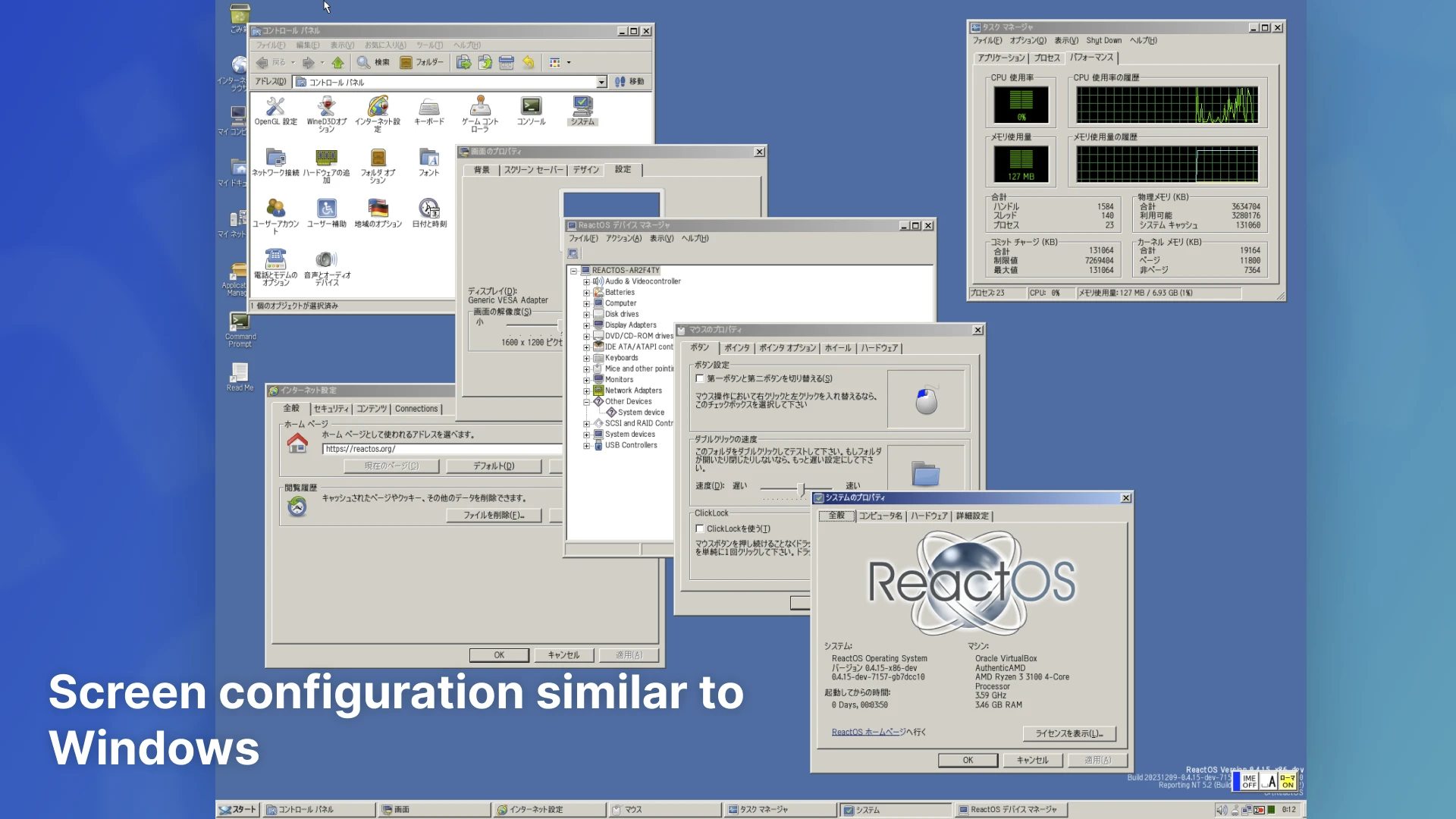
Of course, since it aims to be a Windows replacement, it has a GUI.
Moreover, the user interface, design, and screen configuration are all made to look exactly like Windows. Although it uses its own icons, logos, themes, etc., the other parts feel quite Windows-like.
Free and open source. GPL v2 license.

Windows is a proprietary OS. The source code is not publicly available, so once support ends, you will not be able to modify it and continue using it, nor will you be able to create a custom version by modifying the source code.
ReactOS is open source and GPL v2 licensed.
You can play around with the source, or you can fork and continue using older versions with modifications.
On top of that, Windows Server 2003, which we are currently aiming for, is an old OS. This is a new OS under development that allows you to enjoy the atmosphere of the old OS again.
Under development
Are you curious?
However, ReactOS is still under development. It is not at a level that can be used practically.
Even though some software works, even those that do do not always work properly, and there are many that do not work at all, and blue screens occur frequently. It's unstable.
It's an OS that users who are interested in and want to try it out, or who use it for testing purposes, can enjoy, and are not currently looking for practicality.
Installation and practical use
Do you want to actually install and use it?
I will omit the actual usage and installation scene this time, and will write about it next time (sorry!), but please download it and try using it.
Instead, this time things that will be helpful when you actually try using it I will introduce some . Please use this as a reference when actually tinkering with it.
ReactOS is still an alpha version and unstable, so we do not recommend running it on a real machine.
We recommend that you try using virtualization software such as VirtualBox or VMware.
Know the latest development status

In addition to the regular version of ReactOS, you can download the installation media for the Nightly version.
The Nightly version installation media is regularly (perhaps daily) built with the latest ReactOS.
Because it is unstable and may not start or may have bugs, it is strongly recommended to use it only for testing purposes in a virtual environment. However, the regular version of ReactOS has not been released since December 2021, and there have been some updates with noticeable changes since then. If you want to check out the latest improvements, you might have fun with the Nightly version.
When you select the Nightly version, Japanese fonts etc. are not installed. Select English on the setup screen (otherwise the Japanese characters will become tofu), and install ReactOS JPN Package with the package manager to make it Japanese.
Boot CD and Live CD, Upgrade
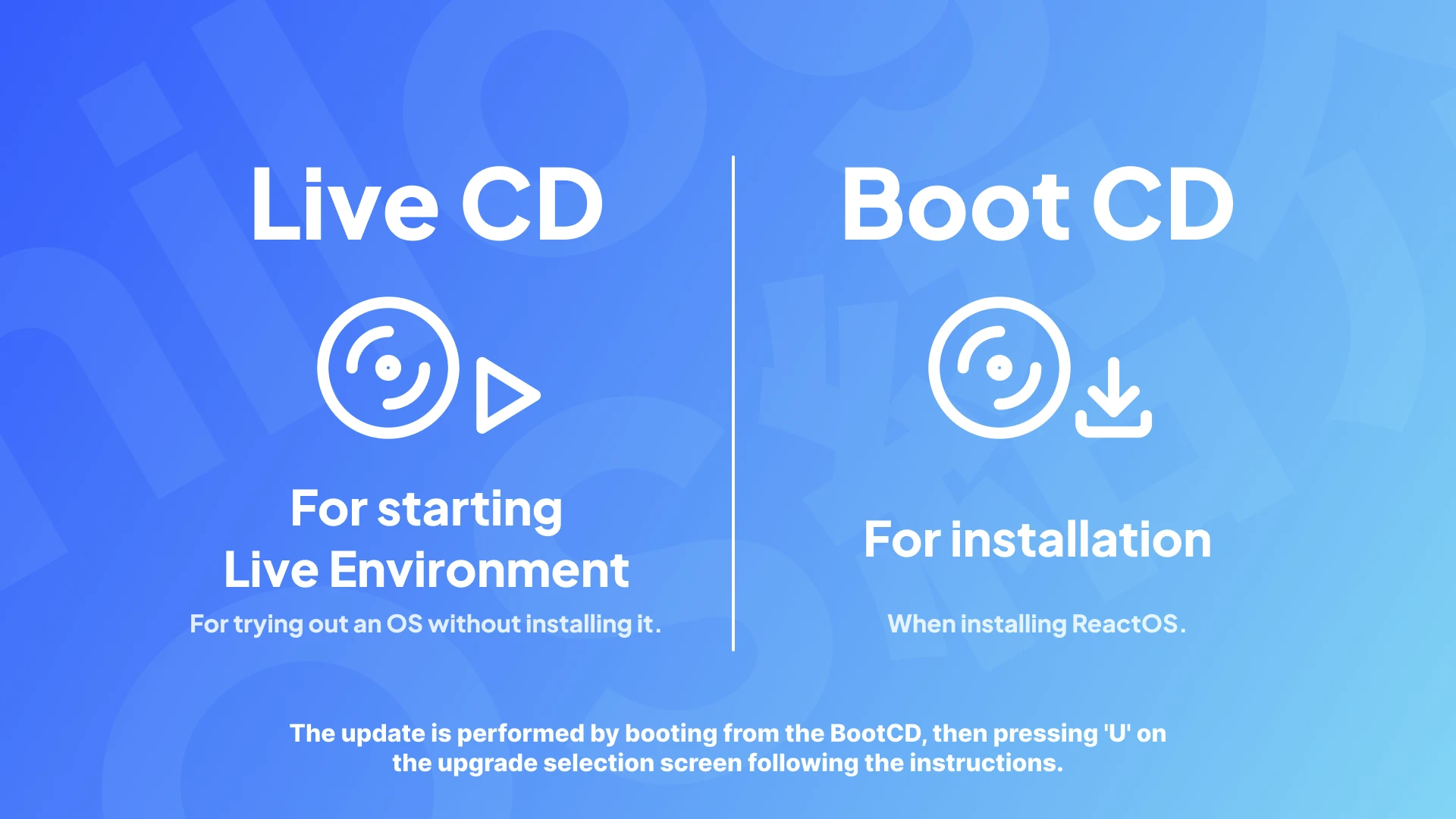
There are two types of bootable media distributed with ReactOS: Boot CD and LiveCD.
Boot CD is a medium that allows installation, and Live CD is a medium that allows you to start a live environment that you can try without installing.
If you want to install it, choose Boot CD.
Additionally, ReactOS allows you to upgrade the OS without leaving the environment by starting with the latest Boot CD and pressing the U key according to the instructions on the setup screen.
However, I have experienced the OS not starting up after upgrading to a new build of the Nightly version, so I recommend taking a backup before updating regardless of the version.
browser
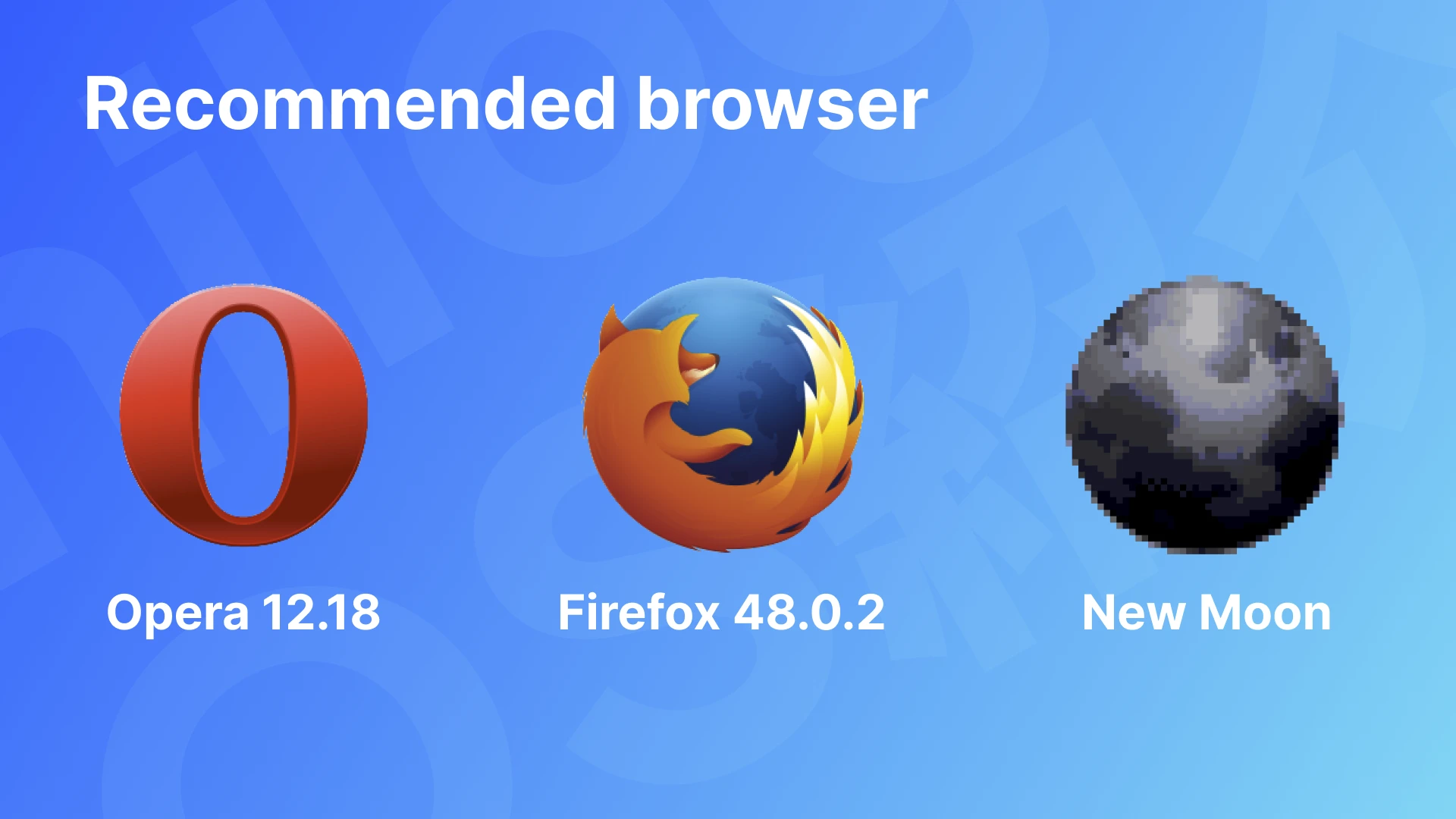
Browsers that can be used on ReactOS are basically old and have security vulnerabilities.
Therefore, using a browser is dangerous. Please understand this and avoid entering important personal information.
Additionally, the browsers introduced here include minor ones that have not been checked for safety or malware. Therefore, please use them at your own risk after checking for security and whether they are malicious software.
Also, since ReactOS is still under development, the entire OS often freezes or displays a blue screen when using the browser. It is quite unstable, as the OS often breaks due to forced restart. It's never practical.
Now, let's introduce some recommended browsers.
New Moon
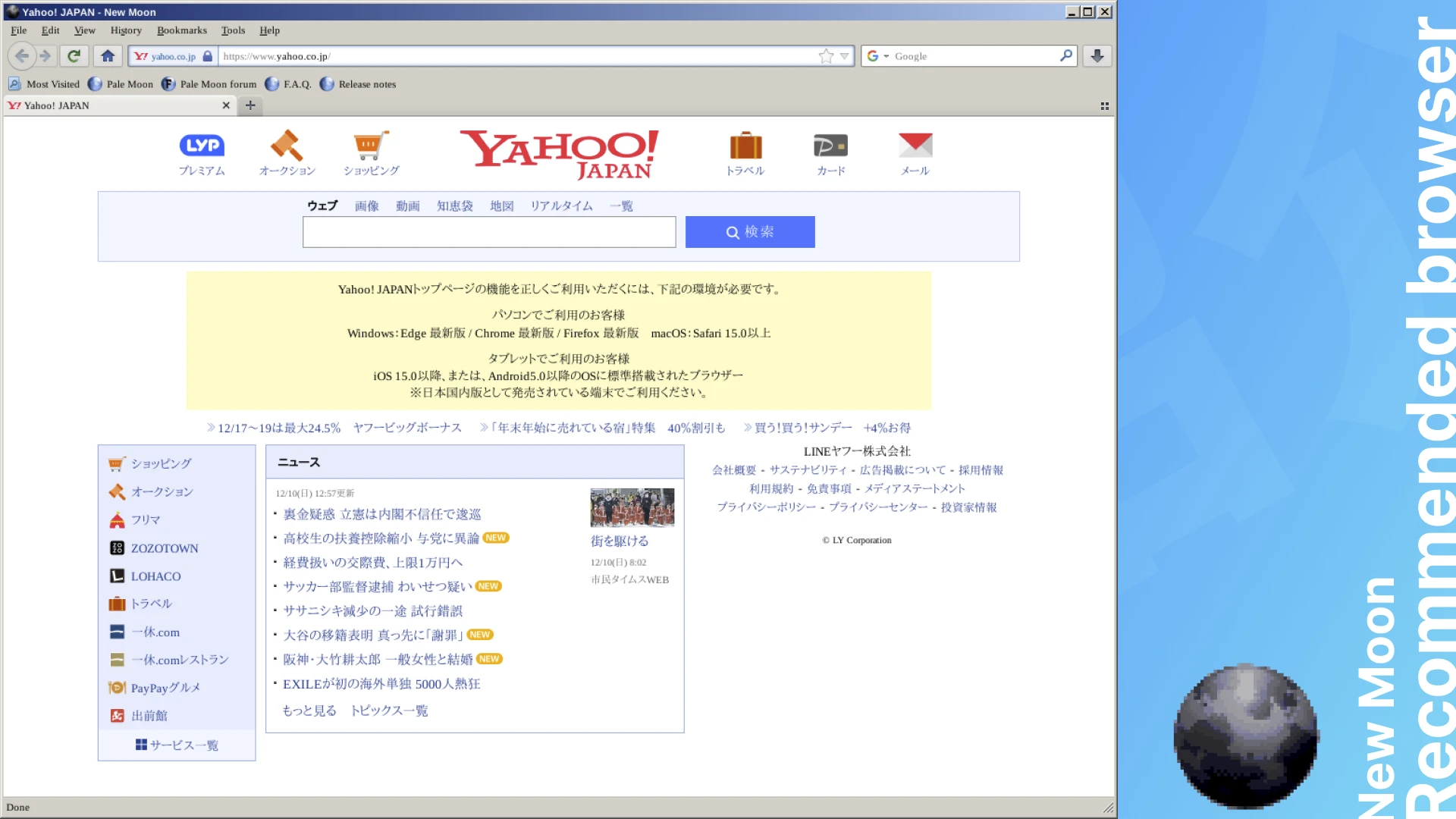
New Moon is a browser that allows you to view relatively new websites clearly. It seems that if you use this, you can tweet on Twitter even on ReactOS (!)
Firefox (old version)
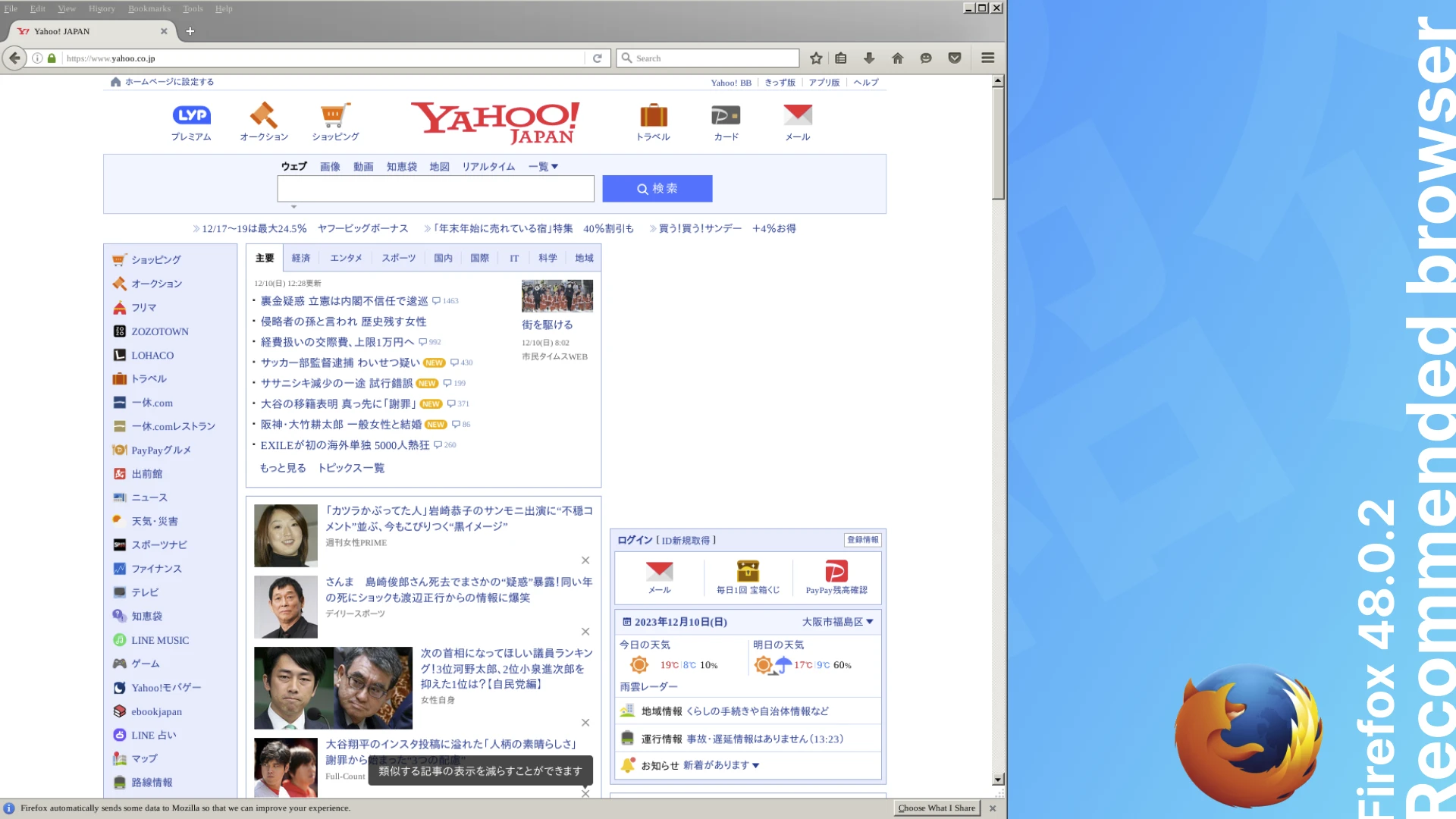
Older versions of Firefox will work.
Although some display distortion may occur, it can be used to some extent. I get the impression that there are a lot of freezes and strange behavior.
However, I feel like I can move much more comfortably than before. Maybe better than New Moon.
Opera v12.18 (Presto engine)
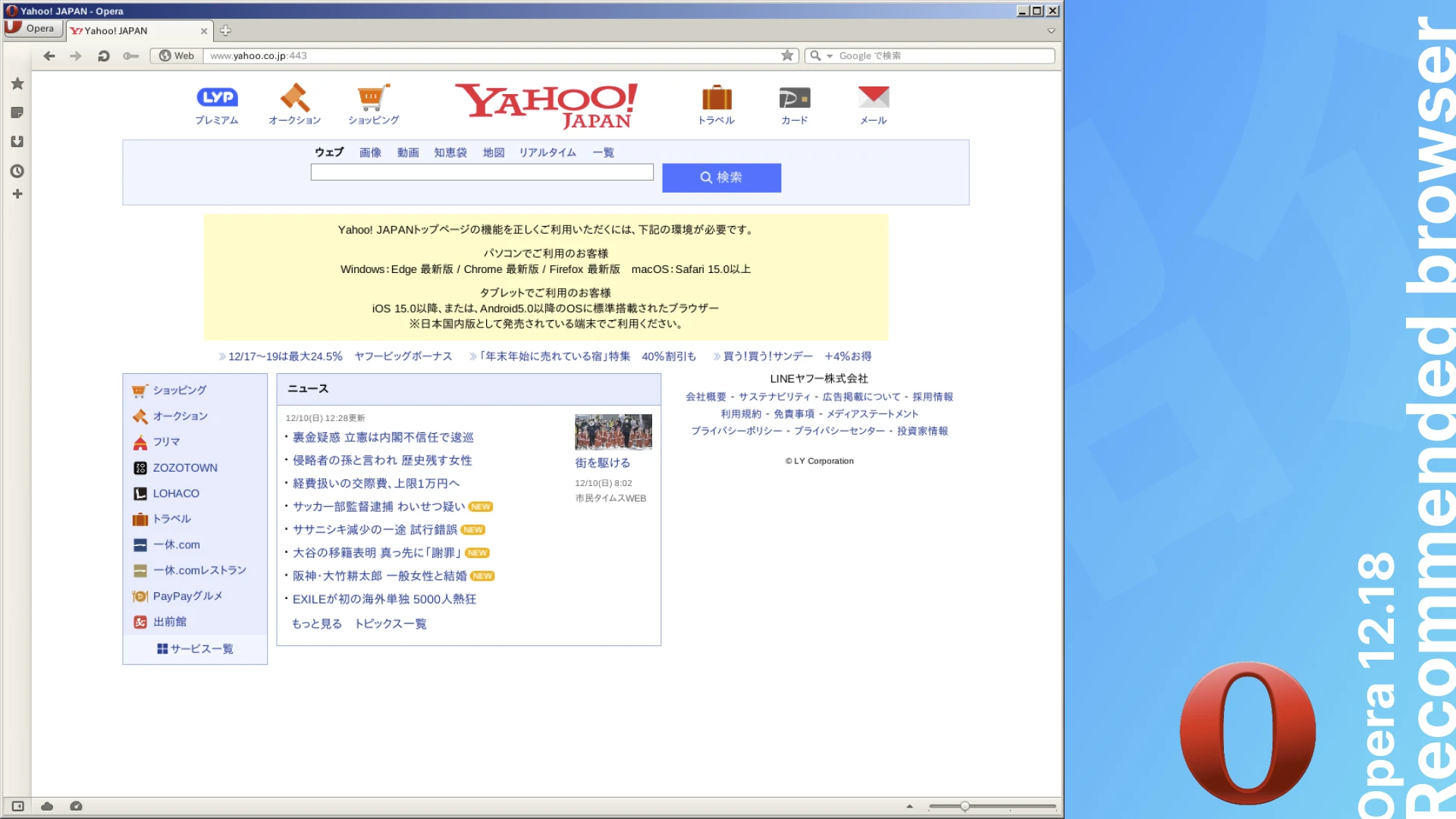
An older version of Opera, which uses the Presto rendering engine before it was migrated to Chromium. It has a scrolling behavior similar to inertial scrolling.
The certificate expiration error occurs frequently, and it is difficult to access the site because the error window must be closed every time.
x64 version
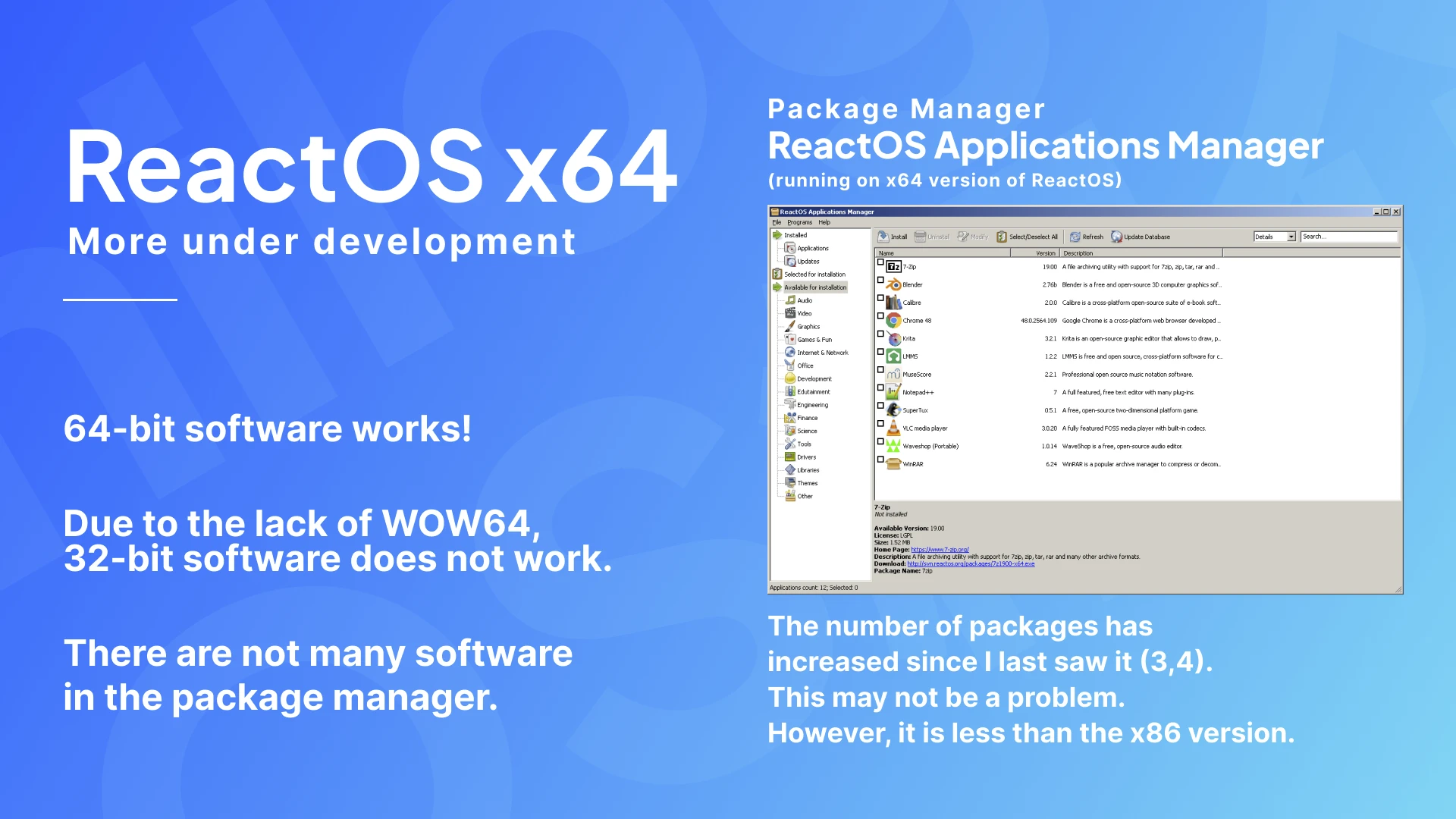
ReactOS also has an x64 version.
However, the x64 version is still under development, and the 32-bit software does not work, and there are few packages in the package installer for ReactOS, so it is not currently suitable for trying out and enjoying.
I tried using the x64 version, but when I installed the Nightly version in a virtual environment, I couldn't use the built-in browser, and couldn't add software due to missing packages in the package installer.
For those in a similar situation, you can use the command on Linux to convert a folder to an ISO file and mount it in the settings of your virtualization software.
You can use themes from the XP era.
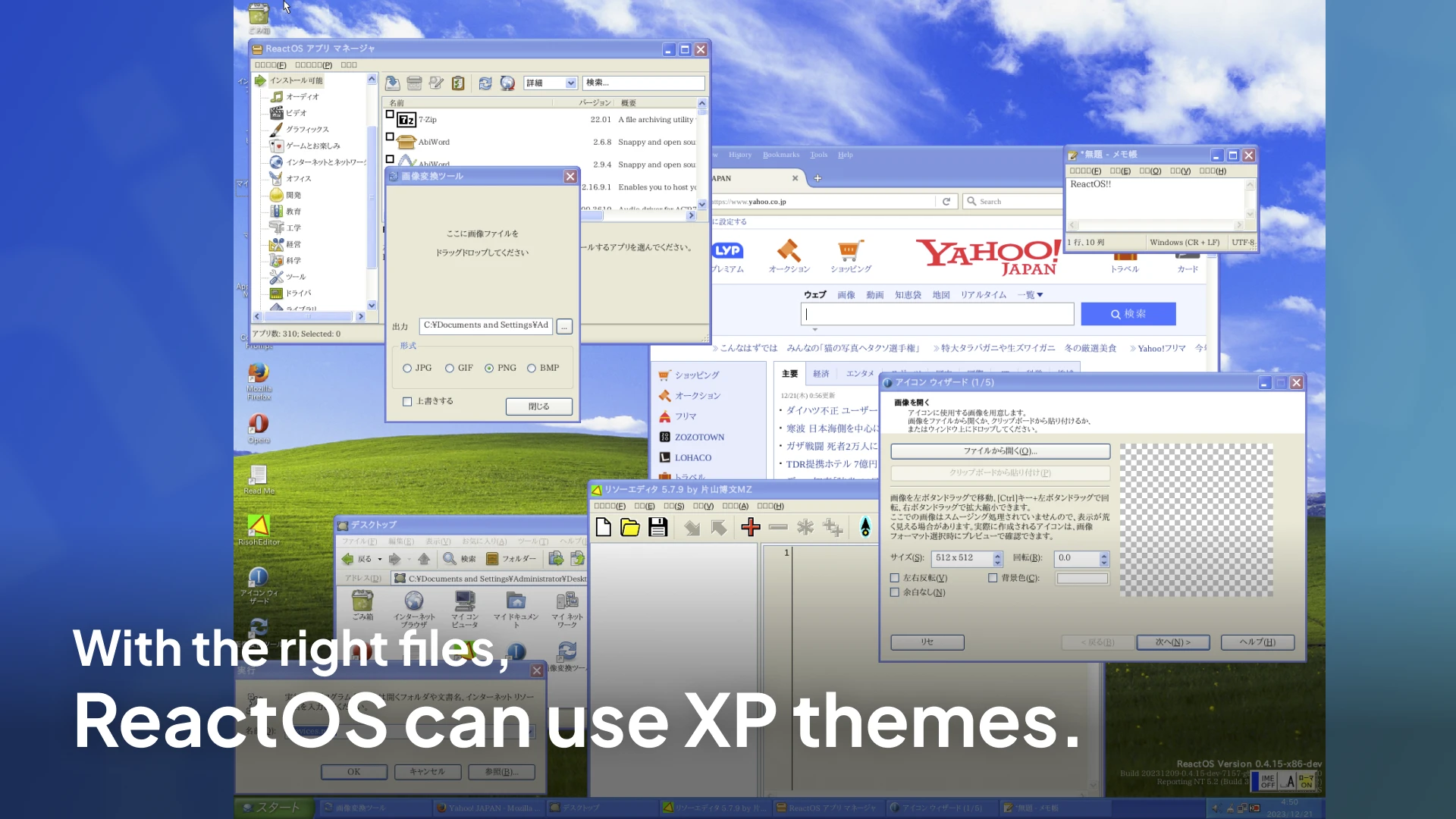
ReactOS can use Windows themes from the XP era, even the XP theme, Luna. I don't think it's appropriate from a licensing standpoint, but it's amazing.
The Start menu has an old design, but if you don't open it, it's almost XP. It's incredibly XP. What a surprise!
Current status of ReactOS
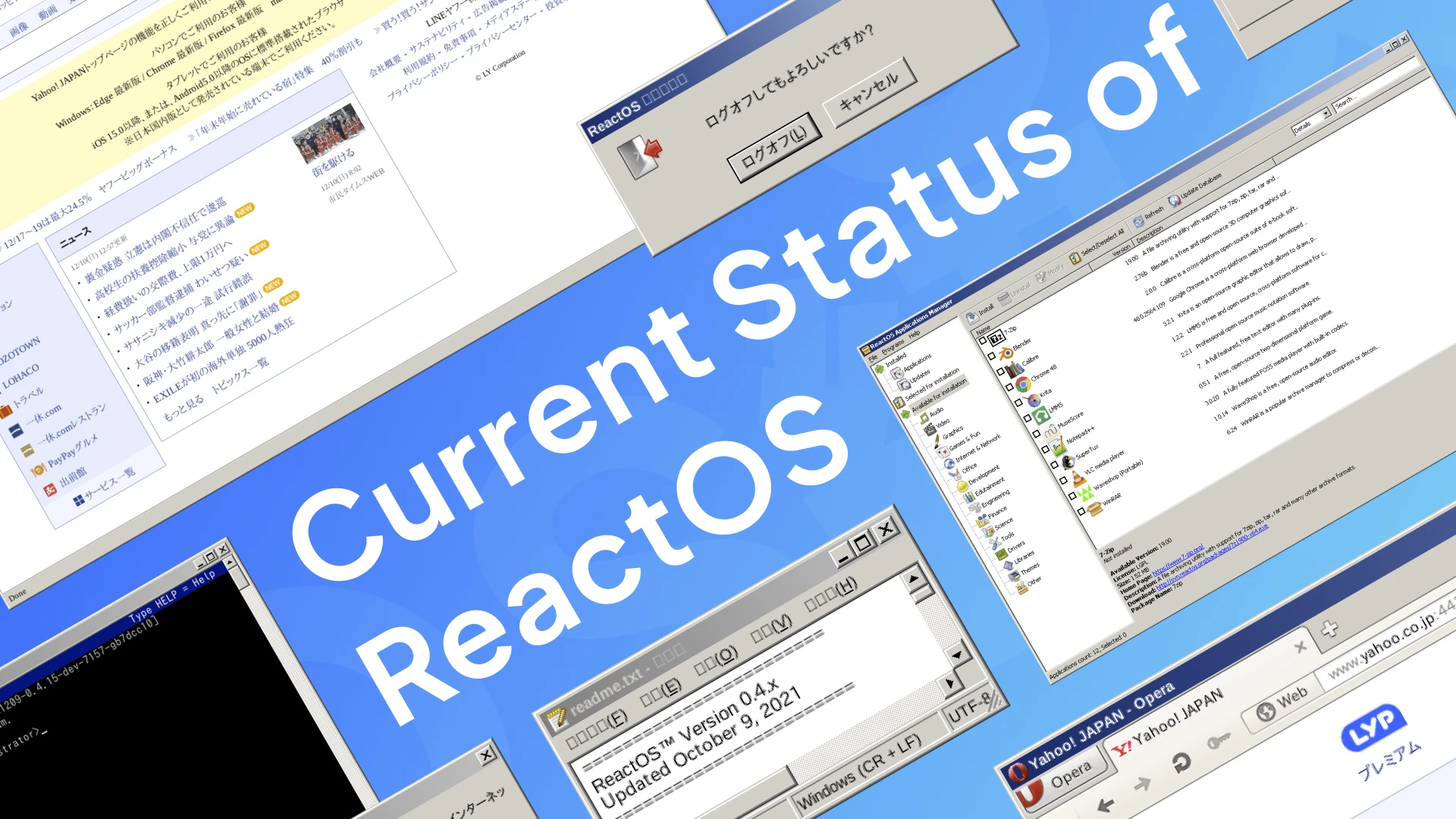
ReactOS, which aims to be a replacement for Windows, seems to have been actively developed recently, and there are some current situations that don't come up much even if you search in Japanese.
Now, let's introduce some of the most interesting ones.
Japanese Input
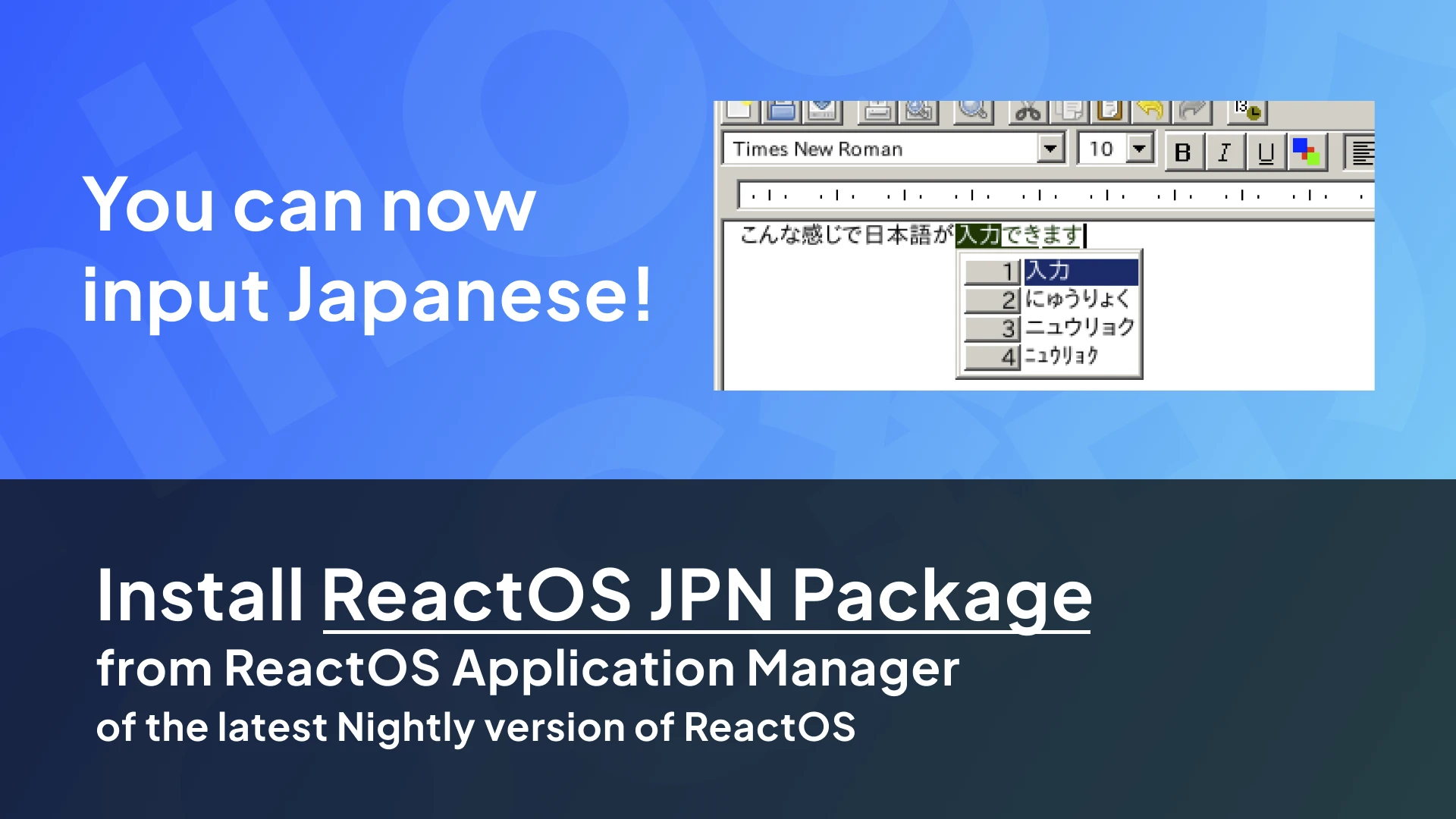
You can now input Japanese with the Nightly version of ReactOS!
Katayama Hirofumi MZ has implemented IME support, and MZ-IME created by Katayama Hirofumi MZ can be used.
Amazingly, this IME allows you to start typing Japanese as soon as you install it. That's the power of a Windows-compatible OS. There's no need for the fine-tuning required in Linux.
Plus, the conversion accuracy is not high, but it's still practical for everyday use.
In fact, this is the reason why I wrote this article.
Katayama Hirofumi MZ has also written an article, but I wanted to write one because there were almost no articles that touched on Japanese input in ReactOS.
Research on IME is also summarized in the Github repository, so if you are interested, you may want to read it.
ReactOS x64 and ReactOS Longhorn

A 64-bit version of ReactOS will be developed based on NT6 (Windows Vista or later)!
In addition, the 32-bit version of ReactOS is said to be compiled into two separate versions, one that emphasizes compatibility with NT 6.0 (Windows Vista) and one that emphasizes compatibility with Windows Server 2003 as before.
When you think that ReactOS will be compatible with Windows Vista and later systems, isn't it a great romance? I really like Vista, so I'm really looking forward to the future.
However, this announcement is about a decision regarding the compatibility of software, and it does not seem to say that the GUI will be changed to a "Vista-like design," which is what the author is mainly looking forward to. So, although it is being developed based on Windows Vista, it is not yet decided when the day will come when we can experience it, and if it comes, we do not know when it will be.
1) In the last summer, these decisions regarding the future of #ReactOS development were made:
— ReactOS (@reactos) November 11, 2023
* ReactOS x64 will be developed in accordance to NT6 (Vista+).
* To facilitate NT6+ compatibility works, builds targeting NT5 and NT6 will be compiled separately.
Additionally, there is a separate unofficial project called ReactOS Longhorn (you can join via the ReactOS Discord community link).
Longhorn is the code name used during the development of Windows Vista. For me, who likes Vista the most, it is an OS that I really admire.
This project will make GUI and kernel changes before being incorporated into the official ReactOS. I'm really excited that the time may come when ReactOS will have the Vista-like Aero Glass look and beautiful design.
UEFI boot support

There are currently people working on UEFI boot support for ReactOS.
Images of ReactOS running on Steam Deck are also available on the ReactOS website and Twitter, suggesting that development is progressing for booting from UEFI. As most PCs these days are UEFI-bootable, it would be great if this were realized.
Application for NT6+
Software designed for NT6+, or Windows Vista or later, often does not work because ReactOS aims to be compatible with Windows Server 2003, but it seems that experiments with software support for NT6+ are underway.
The official blog has screenshots of ReactOS live-streaming to YouTube on OBS, and it looks like we are finally going to be able to run a wider variety of software than ever before. I'm getting very excited...!
want to know more!
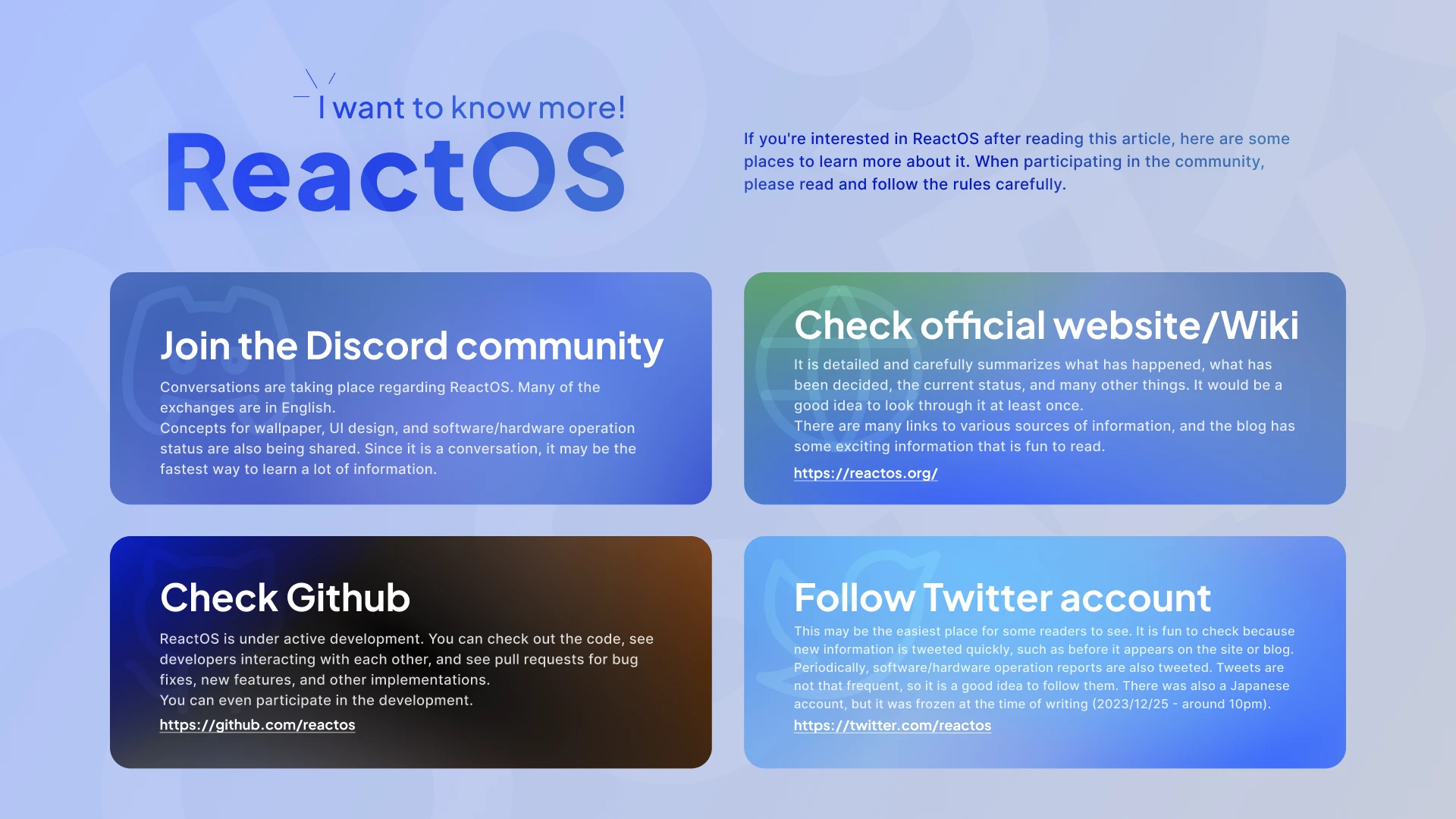
ReactOS is under development and has been actively developed recently. New information is coming out all the time.
If you want to know more after reading this article, you might want to first follow ReactOS Twitter and check the latest information (there is also a Japanese account). There is also a Discord community. Here you can also see conversations between the development members and learn about various things, such as UI design ideas and wallpaper suggestions.
The articles on the ReactOS Wiki, official website, and blog are detailed and easy to understand.
You might want to take a look at GitHub to get the latest information on the latest development status.
Participate in development
If you want to get involved in development, you might want to try out various things first by referring to the article by Japanese developer Katayama Hirofumi MZ.
https://katahiromz.fc2.page/reactos/
It seems that they are reproducing Windows using methods such as clean room reverse engineering that do not infringe on copyrights, etc., so be sure to read the Wiki and information carefully and participate in the development accordingly.
By the way, when sending a pull request on Github, it seems that you have to make your real name and email address public in Git settings. (It was written in https://katahiromz.fc2.page/reactos/ and https://github.com/reactos/reactos/blob/master/CONTRIBUTING.md#rules-and-recommendations)
Windows, a symbol of the times
Now, I have introduced various things about ReactOS.
I would be happy if you were interested in this OS and did some research.
By the way, as I wrote at the beginning of the article, the end of support for Windows can be big news.
Besides, looking at Windows XP wallpapers will make you feel nostalgic and remember the days when you used that PC.
Although I wrote many complaints about Windows at the beginning of this article, I especially like Vista, and even now its sophisticated design with transparent window frames and futuristic feel are so great that I would really like to use it again.
The OS that I remember using at that time. That old OS that is no longer usable due to end of support may be usable again with the evolution of ReactOS.
(In reality, there may be various issues such as copyrights and trademarks, etc., so I don't think it is possible to use the old Windows as is...)
I hope that such a good future will come.
Well then
Thank you for reading such a long article.
It was really, really long. Thank you.
From here on, nothing to do with ReactOS, but just a little.
It's been a while since I created this blog, but I'm still working on it, and as you can see in my first test post, the syntax highlighting for code blocks has become much cleaner!
I've encountered some challenging aspects during implementation, so I'm considering writing an article to share and introduce the experiences.
There's a possibility that the article might already be out. I have several article ideas in progress simultaneously, and I'm thinking of writing about various topics. Given my pace, it seems like it might take quite some time to complete the articles.
By the way, I'm writing this article using Notion, not the previously mentioned Newt CMS.
The writing experience is better here.
I'm thinking of continuing my writing on Notion. However, for tasks like publishing and editing, I'll still need to use Newt, so it seems like managing articles with Newt is the better approach.
Alright then, see you (*´ω`)ノシ
